Google ADK + vLLM: MCP Tools Are Recognized but Never Called
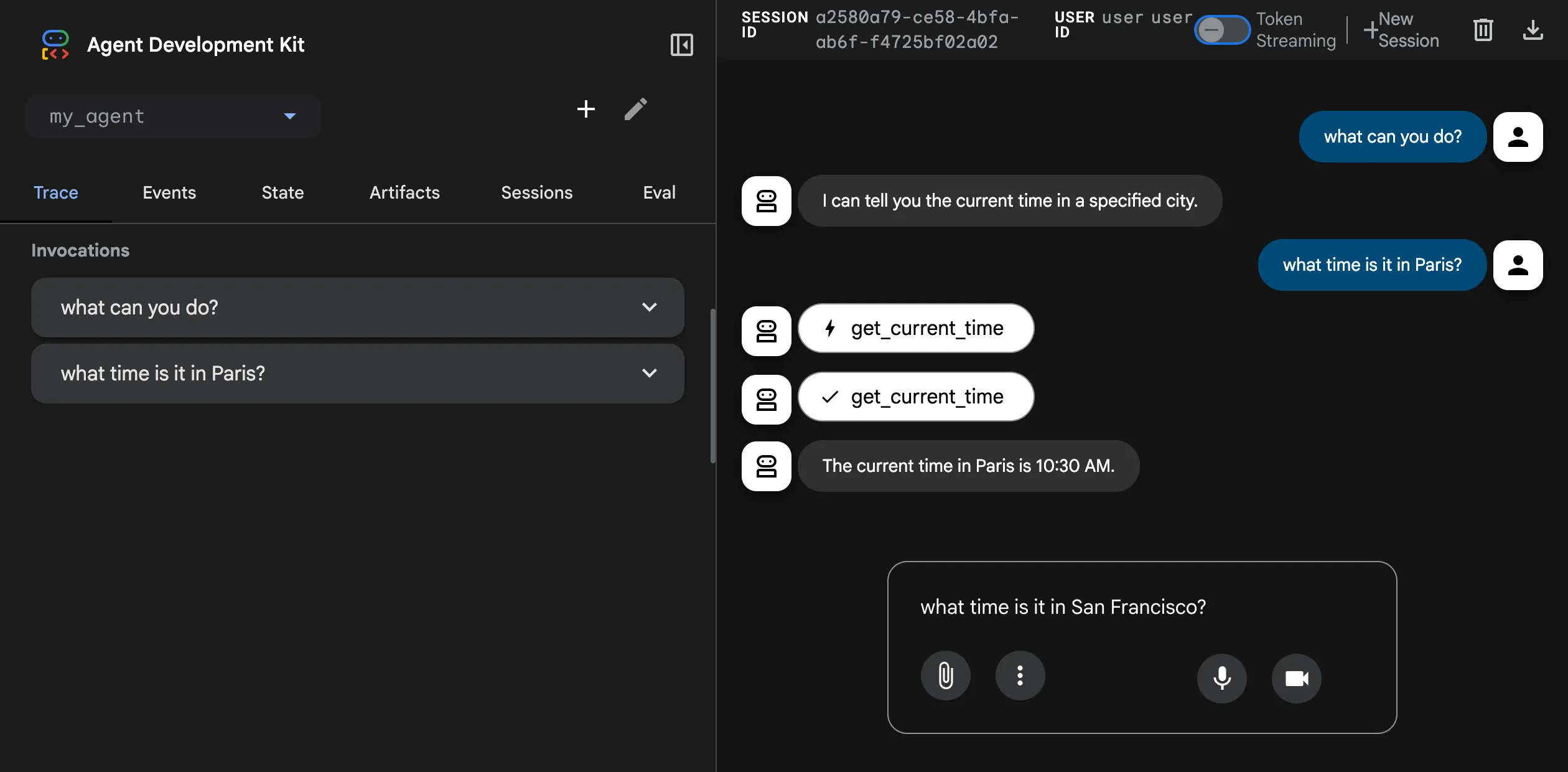
While building an Agent with Google ADK, I discovered that using vLLM as the model provider lets MCP tools be discovered — but they never actually get invoked.
I’ve been building an Agent project with Google ADK lately. A lot of my coworkers at Red Hat use ADK too, but oddly enough none of them ran into this issue — probably because they all use Gemini directly and never went down the vLLM path. I joined the project late, and that’s exactly where I stepped on the mine.
Background: why vLLM
Red Hat’s internal IT runs a MaaS (Model as a Service) platform that deploys open-source models like Llama4 and DeepSeek on Red Hat OpenShift AI via vLLM, exposing them through an OpenAI-compatible API. For developers like me without GPU access, this is great — you just grab a URL and an API key and start coding.
Google ADK’s Python SDK is the most actively maintained and feature-complete of the official SDKs. To connect ADK to a non-Google provider, the official path is via LiteLLM. So the setup looks like this:
root_agent = LlmAgent(
    model=LiteLlm(
        model=MODEL_ID,
        api_base=MODEL_API,
        extra_headers={"Authorization": f"Bearer {MODEL_TOKEN}"}
    ),
    name="root_agent",
    instruction=system_instruction,
    tools=mcp_toolsets,
)
mcp_toolsets contains a bunch of Remote MCP Servers (Streamable HTTP mode).
The symptom: the model “knows” it should call a tool, but never does
Watching the whole conversation through the Events panel in the ADK Dev UI, I could see:
- ADK correctly recognized the tools exposed by the MCP server — the count matched.
- The model said in its reply, explicitly, “I’m going to use the
xxxtool to do this.” - But — the actual tool call was never fired. No invocation, no error, no retry. It just silently didn’t happen.
The model’s response stopped at “I’ll go call the tool” and then nothing followed.
To rule out the MCP server itself, I swapped in Gemini directly:
root_agent = Agent(
    model='gemini-3-pro-preview',
    name='root_agent',
    instruction=system_instruction,
    tools=mcp_toolsets,
)
Same MCP setup, and everything worked end-to-end with Gemini — tools recognized, called, results returned. So the problem almost certainly wasn’t on the MCP server side, nor in ADK’s tool abstraction layer. It was somewhere on the LiteLLM path.
I tested several models, including Llama4 and granite. Same behavior every time: tools recognized, but never invoked.
Root cause: function_call vs tool_calls format mismatch
I filed this with the Google ADK team (adk-python#3906), and they confirmed the root cause: on the LiteLLM + vLLM path, tool calls come back in the older function_call format, while ADK expects the newer tool_calls format. The two don’t line up, so ADK essentially can’t “see” that the model is trying to call anything.
OpenAI’s API has had two generations of tool/function calling formats:
-
Old (deprecated):
function_call— single call, object-shaped:{ "role": "assistant", "content": null, "function_call": { "name": "get_weather", "arguments": "{\"city\": \"Boston\"}" } }With a
finish_reasonoffunction_call. -
New (current):
tool_calls— array-shaped, supports parallel calls:{ "role": "assistant", "content": null, "tool_calls": [{ "id": "call_abc", "type": "function", "function": { "name": "get_weather", "arguments": "{\"city\": \"Boston\"}" } }] }With a
finish_reasonoftool_calls.
When ADK parses a model response and decides whether to execute a tool, it looks at the tool_calls field. If vLLM’s compat layer (or LiteLLM along the way) still emits the old function_call shape, ADK ends up with:
- No
tool_callsfield → assumes the model didn’t decide to call any tool contentis empty or contains some descriptive text → treats it as a regular assistant message
Which produces exactly the symptom I saw: the model “says it will use a tool” in plain text, and ADK never fires the call.
Update: the official fix
The issue has been closed by the team — and the conclusion is that this isn’t an ADK bug. It’s a configuration problem on both the vLLM and LiteLLM sides. Two things need to change:
1. Start vLLM with the OpenAI-style tool parser explicitly enabled
python -m vllm.entrypoints.openai.api_server \
  --model <MODEL> \
  --enable-auto-tool-choice \
  --tool-call-parser openai
The two flags that matter:
--enable-auto-tool-choiceturns on vLLM’s automatic tool-selection logic--tool-call-parser openaiforces the OpenAI-new-format parser, so output lands in thetool_callsfield instead of the oldfunction_call
2. Tell LiteLLM to treat the model as an OpenAI-style provider
Prefix the model ID with openai/:
root_agent = LlmAgent(
    model=LiteLlm(
        model="openai/" + MODEL_ID,  # the key change
        api_base=MODEL_API,
        extra_headers={"Authorization": f"Bearer {MODEL_TOKEN}"}
    ),
    name="root_agent",
    instruction=system_instruction,
    tools=mcp_toolsets,
)
LiteLLM’s provider routing is based on the model name prefix. Adding openai/ makes it take the OpenAI-compatible path when handling tool-calling fields, instead of falling back to its default behavior.
With these two changes in place, MCP tools execute correctly. Gemini works out of the box because it already emits tool calls in the new format — nothing on the path needs to translate anything.
A small reflection
What made this bug nasty: it doesn’t fail loudly. Every link in the chain “thinks it’s working.” vLLM dutifully emits the old format. LiteLLM dutifully forwards it. ADK dutifully parses the fields it knows about. The model’s “I’m going to call a tool” sentence just hangs in the conversation log, with no one to translate it into actual execution.
That’s also why this kind of bug tends to stay buried unless you have proper end-to-end tests for tool calling. If your Agent obviously should have called an MCP/tool in some response but nothing happened, the first thing to do is bypass ADK and curl your model API directly to see whether the raw response carries tool_calls or function_call.
Environment
⚠️ If you hit similar symptoms, these versions matter for diagnosis:
- Python:
3.13- google-adk:
1.22.1- litellm:
1.81.1- vLLM (server side):
unknown- Models tested: Llama4, granite
TL;DR for fellow sufferers
If you’re evaluating “ADK + self-hosted vLLM,” the issue is solvable — no need to detour. Just apply the official fix to both ends:
- vLLM server: add
--enable-auto-tool-choice --tool-call-parser openaiat startup - ADK client: prefix the LiteLLM
modelvalue withopenai/ - If it still doesn’t fire,
curlvLLM’s/v1/chat/completionsdirectly and check whether the response containstool_calls. If it’s stillfunction_call, your parser config didn’t take effect — go back and double-check the startup flags
MCP itself is fine. Once this path is configured properly, all MCP servers (SSE or Streamable HTTP) work as expected.